Integrate CRM and ERP
Connect sales and inventory management
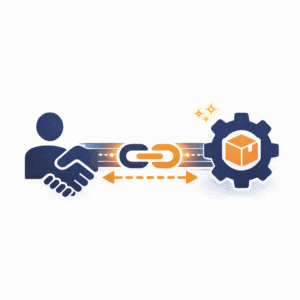
Integrating CRM and ERP is the key to end to end business processes. No duplicate data maintenance, no information silos, no orders lost between sales and fulfillment.
Problems without CRM ERP integration
Duplicate data maintenance
Customer data is maintained separately in both systems, a source of errors and a time sink.
No order transparency
Sales does not know whether orders have shipped. Customers ask and nobody has answers.
Delayed processes
Won deals have to be transferred to the ERP by hand, which takes time and causes errors.
No overall picture
Sales figures here, revenue figures there, and no unified reporting is possible.
Integration options
Native integration
Many CRM and ERP vendors offer ready-made connectors. HubSpot ↔ SAP, Zoho ↔ Odoo, Pipedrive ↔ lexoffice.
API integration
A custom interface via REST APIs. Maximum flexibility, but more development effort.
Middleware (iPaaS)
Zapier, Make, Workato or Tray.io connect systems without custom development. Ideal for mid-sized companies.
Data warehouse
For complex scenarios: bring data together in a central warehouse and synchronize it.
Typical use cases
Automatic order creation
Deal won in the CRM → the order is created automatically in the ERP with all line items.
Order status in the CRM
Sales sees in real time: order confirmed, in production, shipped, delivered.
Customer master data sync
New customers in the CRM are created automatically as accounts receivable in the ERP.
Payment status visible
Open invoices and incoming payments are visible in the CRM, which matters for account management.
Product catalog sync
Current items, prices and availability from the ERP are ready in the CRM for quotes.
Best practices
Clarify data ownership
Which system is master for which data? Customer records usually the CRM, items usually the ERP.
Proceed step by step
Synchronize master data first, then transactional data. Not everything at once.
Define error handling
What happens when a sync fails? Who is notified? How is the data resynchronized?
Document the mapping
Which fields map how? Documentation is essential for maintenance.
Recommended tools & software





Planning a CRM ERP integration?
We analyze your system landscape and find the best integration solution.